

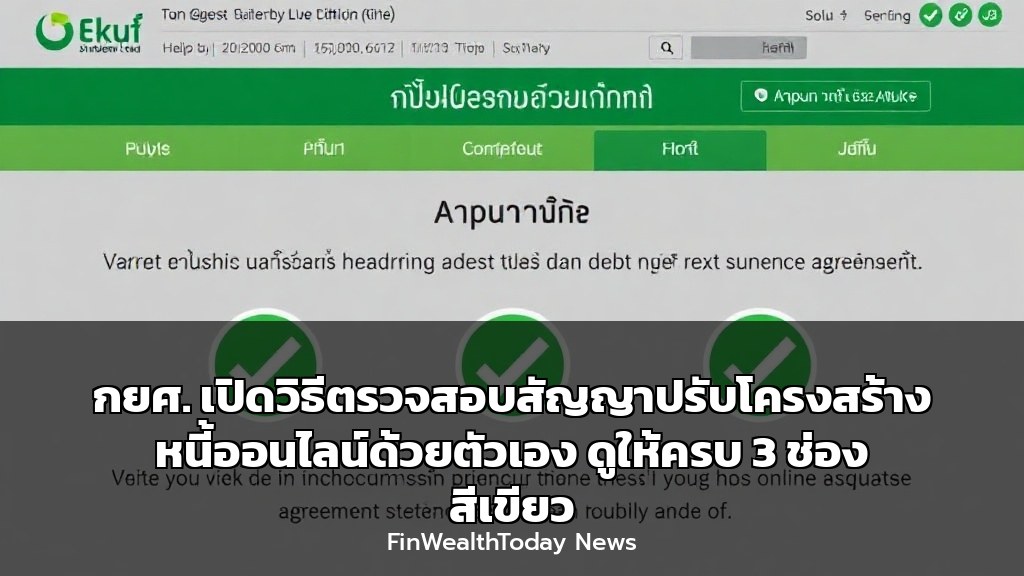
กองทุนเงินให้กู้ยืมเพื่อการศึกษา (กยศ.) ได้ประกาศขั้นตอนการตรวจสอบสถานะสัญญาปรับโครงสร้างหนี้ออนไลน์ด้วยตนเองผ่านเว็บไซต์ www.studentloan.or.th โดยผู้กู้สามารถยืนยันตัวตนผ่านแอปพลิเคชัน ThaiD หรือเป๋าตัง และต้องตรวจสอบให้แน่ใจว่าสัญญามีเครื่องหมาย “ถูก” สีเขียวครบทั้ง 3 ช่อง ถึงจะถือว่าสมบูรณ์ พร้อมย้ำให้ดาวน์โหลดสัญญาเพื่อตรวจสอบลายเซ็นอิเล็กทรอนิกส์ของทั้งสองฝ่าย
วิธีการตรวจสอบสัญญาปรับโครงสร้างหนี้ กยศ. ออนไลน์ (ทีละขั้นตอน)
สำหรับนักลงทุนสาย Conservative หรือผู้ที่มองว่าการจัดการหนี้คือก้าวแรกของอิสรภาพทางการเงิน เราขอมองข้ามมุมมองสบายๆ และเจาะลึกเรื่องนี้ในเชิง Strategic Finance กันครับ เพราะ “หนี้กยศ.” แม้จะเป็นหนี้สวัสดิการ แต่การเข้าใจกลไกการปรับโครงสร้างหนี้ให้ถูกต้อง จะช่วยให้คุณป้องกันความเสี่ยงทางเครดิตและรักษา Credit Score ให้แข็งแกร่งในระยะยาว
โดยสรุปขั้นตอนสำคัญจากประกาศ กยศ. มีดังนี้:
- เข้าสู่ระบบ: ไปที่เว็บไซต์ studentloan.or.th แล้วเลือกเมนู “ปรับโครงสร้างหนี้ออนไลน์”
- ยืนยันตัวตน: ใช้แอปพลิเคชัน ThaiD หรือเป๋าตัง เพื่อยืนยันตัวตนตามที่ระบบกำหนด
- ตรวจสอบสถานะสัญญา: หลังจากลงนามและยืนยันตัวตนเสร็จสิ้น ให้ตรวจสอบหน้าสถานะ
- เช็ค 3 ช่องสีเขียว: ต้องมีเครื่องหมาย “ถูก” สีเขียวครบทั้ง 3 ช่อง คือ
- สร้างสัญญา (Created)
- ลงนามโดยผู้กู้ (Borrower Signed)
- ลงนามโดย กยศ. (Fund Signed)
ข้อควรระวัง: หากมีเพียงช่องที่ 1 (สร้างสัญญา) แต่ยังไม่มีช่องที่ 2 แสดงว่าผู้กู้ ยังไม่ได้ลงนาม ให้กลับไปที่หน้าเมนู “ปรับโครงสร้างหนี้” เพื่อดำเนินการลงนามและยืนยันตัวตนให้เสร็จสิ้นทันที มิฉะนั้นสัญญาจะไม่สมบูรณ์และอาจส่งผลต่อการคำนวณดอกเบี้ยหรือเบี้ยปรับ
Full English Translation
Student Loan Fund (SLF) Explains How to Check Your Own Online Debt Restructuring Contract Status
The Student Loan Fund (กยศ.) has announced the steps for borrowers to independently check the status of their online debt restructuring agreement via the website www.studentloan.or.th. Borrowers can verify their identity through the ThaiD or “เป๋าตัง” application and must ensure the contract displays three green checkmarks to be considered complete. The fund emphasizes downloading the contract to verify the electronic signatures of both parties.
Step-by-step verification process:
- Log in: Go to studentloan.or.th and select the “Online Debt Restructuring” menu.
- Identity Verification: Use the ThaiD or “เป๋าตัง” app to verify your identity as instructed.
- Check Status: After signing and verifying, check the status screen.
- Confirm 3 Green Checks: The status must show three green checkmarks for: Contract Created, Borrower Signed, and Fund Signed.
Warning: If only the first box (Contract Created) is green, it means the borrower has not yet signed. Please return to the restructuring menu to complete the signing and identity verification immediately.
Frequently Asked Questions (FAQ)
อัปเดตข่าวสารการเงินและการลงทุนที่น่าสนใจก่อนใครได้ที่ FinWealthToday.com


Leave a Reply